Field History Worksheet
For a single field, you can open a detailed Field History:
- Select the required line in the Simple Restore Worksheet.
- Click Field History
- The Field History Worksheet opens with all logged changes of that field in chronological order
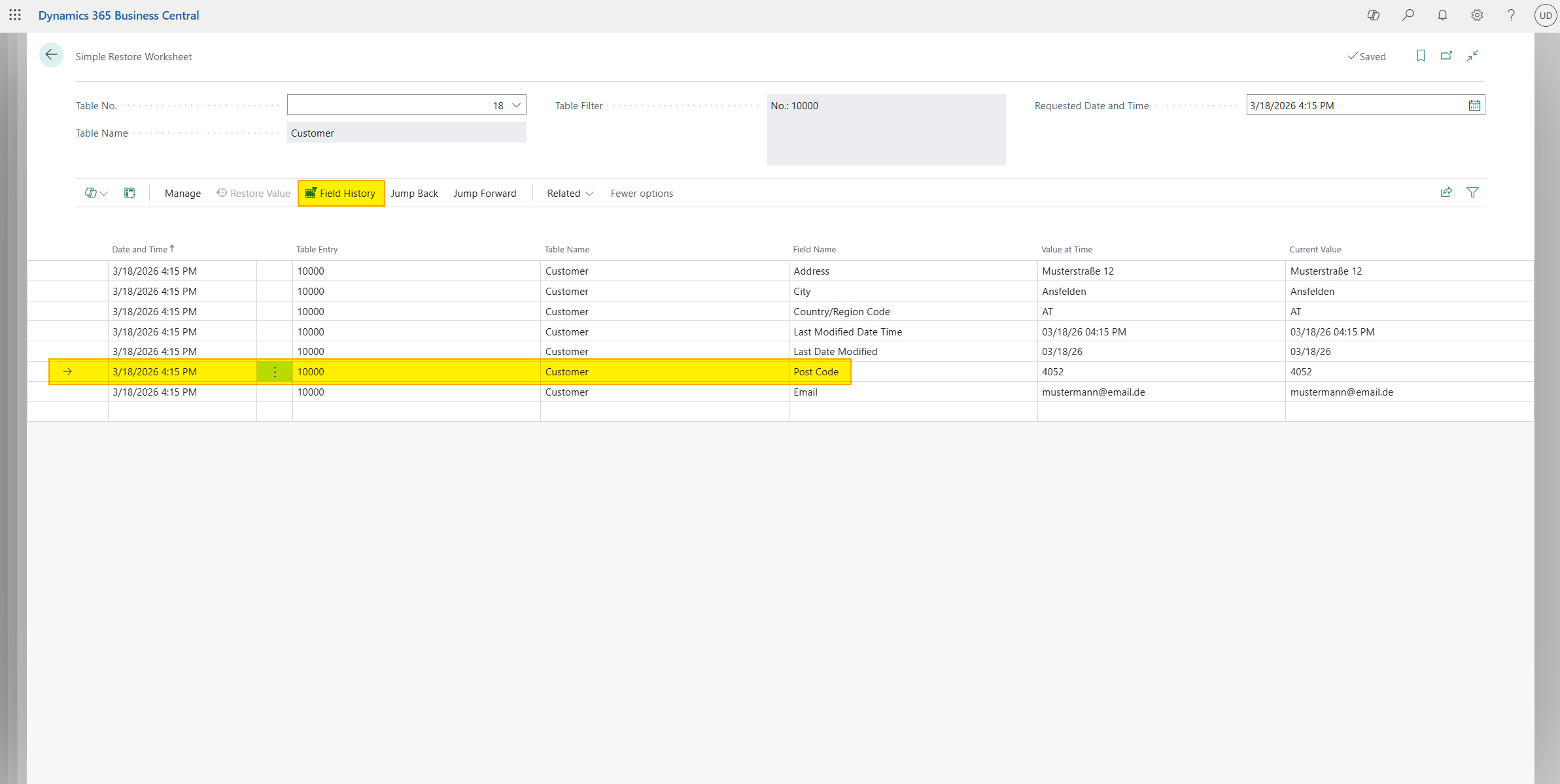
The Field History Worksheet shows all changes with date, time, and the respective new value - ideal for tracing the complete change history of a specific field.
Restore field value
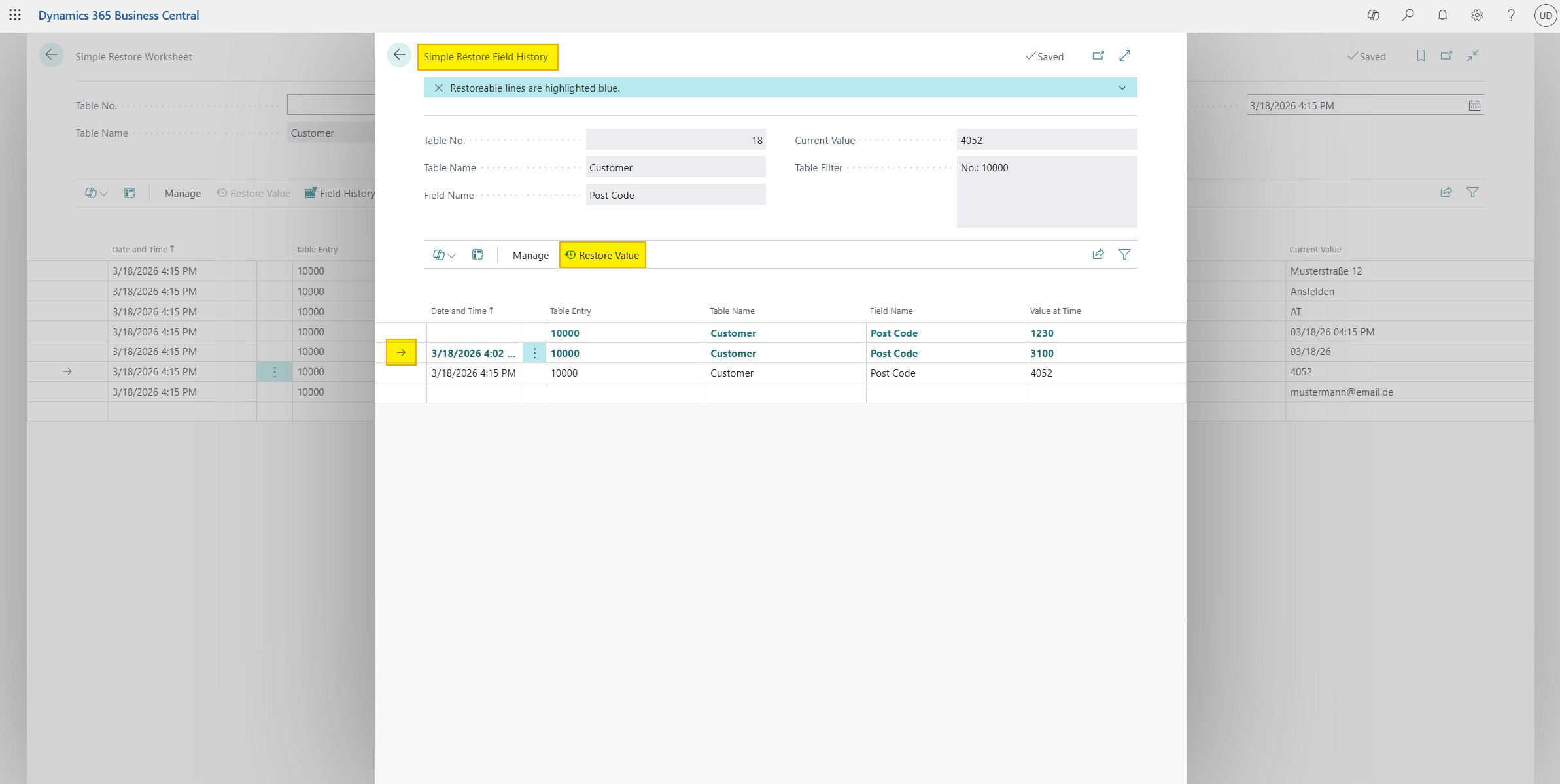
- Select the required line in the field history table (must be highlighted in blue)
- Click Restore Value
- Confirm the dialog - it shows exactly which value will be replaced by which value:
Do you want to restore the following entry? Table Name, Record, Field Name: Current Value -> Historical Value
- After confirmation, the value is updated in Business Central
Help
- App page on our website: Here you can find prices, more features, and contact information
- Microsoft AppSource: open here
- Contact form: Open contact form