Retention Policies
Over time, the number of entries on the "My Notifications" page can grow significantly if users don't regularly delete their read notifications.
To manage database size and maintain clarity, it is recommended to use Business Central's standard retention policies to automatically delete old, read notifications.
Recommended Policy
A sensible policy is to delete all notifications that meet two conditions:
- They are marked as read.
- They are older than a certain period (e.g., one year).
For information on how to set up this retention policy, please refer to the following documentation. Microsoft Retention Policies
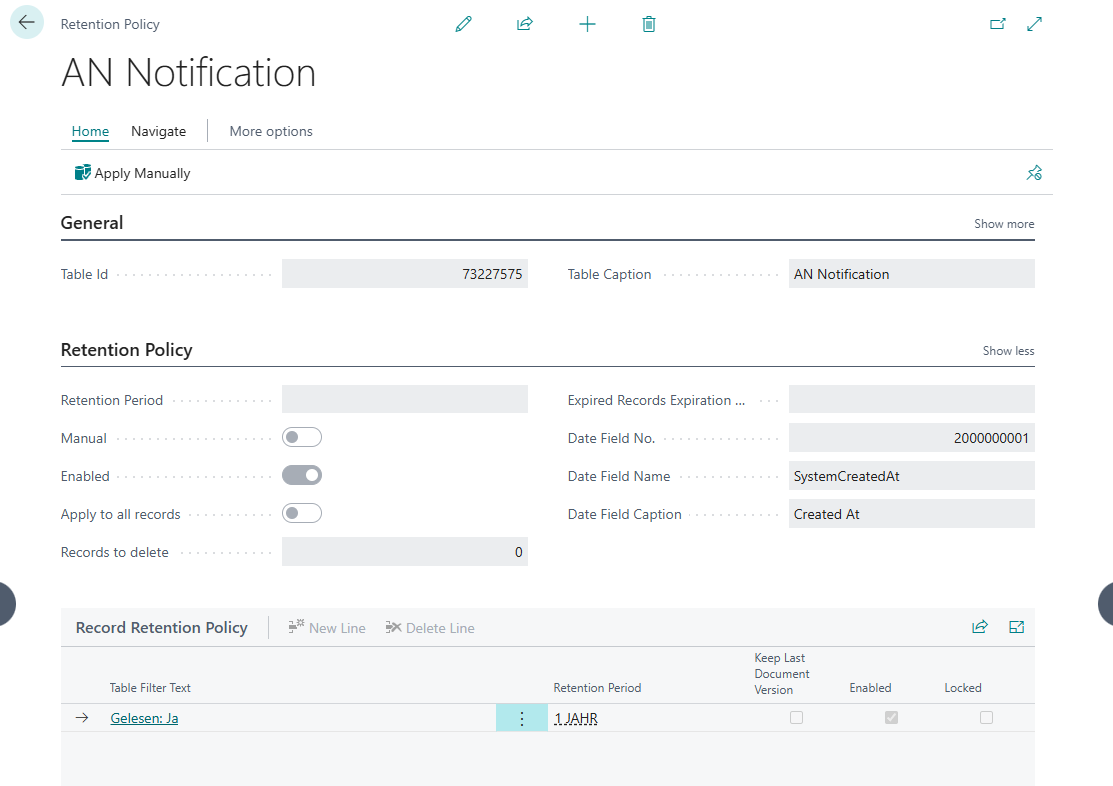
The "My Notifications" table has the object ID 73227575.
A possible setup looks as follows:
Help
- App page on our website: Here you can find prices, more features, and contact information
- Microsoft AppSource: open here
- Contact form: Open contact form