Installation and Activation
This page describes the recommended process to use the dedomind License Core function in your Business Central environment.
Preparation
- Open Company Information in Business Central.
- Make sure at least the following values are maintained:
- Company name
- Email address
- Save the changes.
Note: Missing required information can lead to an error when starting a trial license.
Activation Methods
You can choose between three methods:
- Manual Entry
- Enter the license key directly in the License Wizard.
- Retrieve via System Identifier
- You provide the system identifier to dedomind, and the license key can then be retrieved via the dedomind Licensing Service.
- Start a Trial License
- Request a trial license and then retrieve the license key.
Step by Step
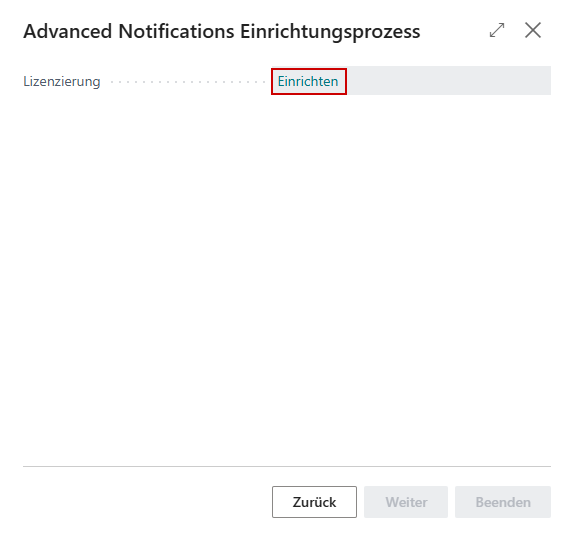
- Open the setup wizard for the app to be activated.
- In the Licensing step, click Set up to start the License Wizard.
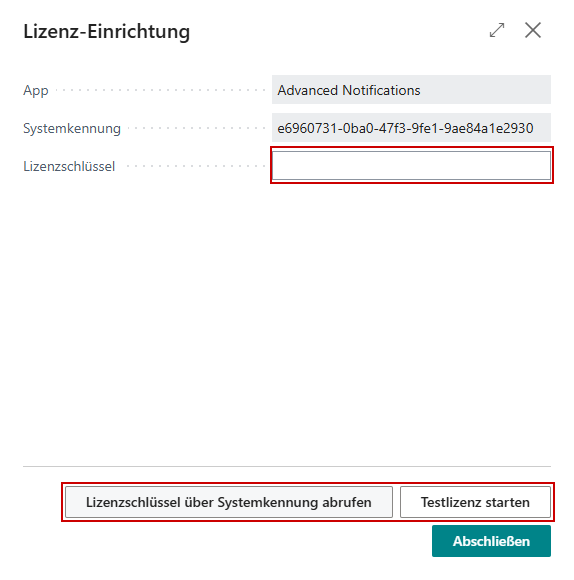
- Check the displayed System Identifier.
- Choose an activation method:
- Enter license key
- Retrieve license key via system identifier
- Start trial license
- If the license has been validated successfully, you will see the license details.
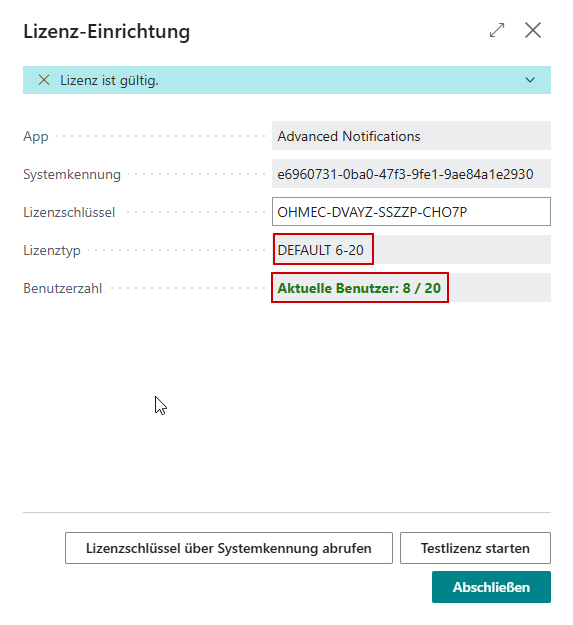
- Close the wizard with Finish.